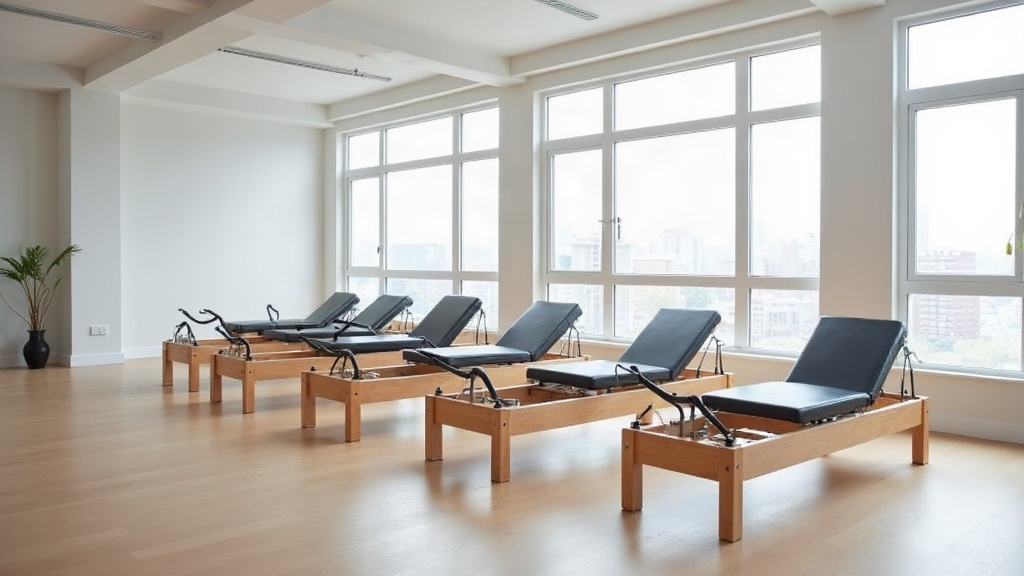
TL;DR: Most class booking software was built for yoga and gym floors, where capacity is a number someone types into a field. Reformer pilates capacity is physical, shared between class types, and reduced every time a machine goes in for service, which is exactly why equipment-aware scheduling is the feature that decides whether your calendar reflects reality.
Ask a studio owner what their 7am reformer class holds and you will get a confident number. Ask what happens when two of those reformers are booked for a private session that overlaps by fifteen minutes, or when one is pulled off the floor for a sticky footbar, and the confidence drops. The number was never a property of the class. It was a property of the equipment, and most booking software has no idea the equipment exists.
That gap is small when you run one studio, one room and one class format. It becomes expensive the moment you add duets, privates, a mat class that shares the floor, or a second location with a different machine count.
What Generic Class Software Gets Wrong
Software built for yoga studios and gyms models a class as a time slot with a capacity integer. It is a clean model and it works fine when the only constraint is how many mats fit on the floor. Reformer studios break it in four predictable ways.
- Shared resources across formats. A reformer booked for a 9am duet is not available for the 9am group class, even though the two classes are separate rows in the database.
- Maintenance downtime. Taking a machine out of service should drop capacity on every future class that uses it, automatically, not require someone to edit eighty slots by hand.
- Partial capacity classes. A tower or chair class may use six of your ten reformers, leaving four that an equipment-aware system could sell into an overlapping session.
- Waitlists that do not know what they are waiting for. A client waiting for a reformer spot should be promoted when a reformer frees up, not when any seat in the room does.
The result is the quiet failure mode every operator recognises: a class shows one spot left, someone books it, and an instructor has to tell them at the door that there is no machine. You do not lose the revenue from that booking. You lose the client.
Equipment-Aware Scheduling, Defined
Equipment-aware scheduling treats each reformer, tower, chair and barrel as a bookable resource with its own calendar. Classes consume resources rather than declaring a capacity. Three things follow from that one change.
Capacity becomes derived instead of entered. If eight of your ten reformers are free at 6pm, the 6pm class holds eight, and nobody has to remember to update it.
Conflicts become impossible rather than discouraged. A private session and a group class cannot both claim reformer number four, because the resource is already held.
Utilisation becomes measurable per machine. You stop asking how full your classes were and start asking how many hours each reformer earned, which is the number that actually services your equipment loan.
The Features That Matter, Ranked
Not every equipment-aware feature carries the same weight. Here is how they sort by impact for a typical boutique reformer studio.
| Feature | Why it matters | Impact if missing |
|---|---|---|
| Per-machine resource calendar | Capacity derives from real availability | Overbooking at the door, refund requests |
| Maintenance blocks | One action cascades to all affected classes | Manual edits across dozens of future slots |
| Equipment-aware waitlist promotion | Right client gets the right spot automatically | Staff time spent calling people, spots go unsold |
| Cross-format conflict detection | Privates and group classes share machines safely | Double-booked reformers, instructor firefighting |
| Spot selection at booking | Clients pick their usual machine or position | Lower retention among regulars |
| Per-reformer utilisation reporting | Shows which machines and slots actually earn | Pricing and schedule decisions made on guesswork |
| Multi-location machine inventory | Each site has its own true capacity | One location silently oversells |
If you are evaluating platforms, the top four are not negotiable for an equipment-based studio. The bottom three separate software that runs your studio from software that merely records it.
The Occupancy Number You Should Be Watching
Most operators track class fill rate. It flatters you, because it ignores the machines sitting idle in slots where you did not schedule a class at all.
Reformer occupancy is the better metric: booked reformer hours divided by available reformer hours, measured across the hours you are actually open. Most studio operators target 75 to 85 percent reformer occupancy across peak slots to hit break-even without overloading instructors. Below that band you are carrying equipment cost you are not earning back. Above it, you are turning away regulars and burning out the two instructors who can cover peak.
The practical use of the number is schedule surgery. A studio at 62 percent overall occupancy usually does not have a demand problem, it has a distribution problem: three slots at 95 percent and six at 40 percent. Equipment-aware reporting shows you that in one view. Class fill rate averaged across the week hides it completely.
- Track occupancy by slot, not by week, so the peaks and dead zones separate.
- Measure privates and duets in the same denominator, because they consume the same machines.
- Recalculate after any maintenance block, since available hours drop when a machine is out.
Why This Hits Harder for Indian Studios
Reformer studios in India run on tighter equipment economics than their US and UK counterparts. Machines are largely imported, landed cost including duty and freight is high, and the rupee revenue per class hour is lower. Every idle reformer hour costs proportionally more.
That changes which software features earn their keep. Per-machine utilisation reporting is not a nice-to-have when your capital cost per reformer takes eighteen months to recover. Neither is billing that works the way your clients actually pay.
- UPI and Razorpay as first-class payment rails, not a bolt-on gateway that breaks on autopay mandates.
- GST invoices with your GSTIN, taxable value and tax on class packs and memberships.
- INR-native billing so you are not reconciling a USD subscription against a rupee bank account every month.
- No forced currency conversion, which quietly adds 3 to 4 percent to your software cost before you have sold a single class.
Appyone was built India-first for exactly this reason, with reformer-level resource scheduling, UPI and Razorpay collections and GST invoicing included rather than sold as add-ons. Pricing starts at $97 a month per location on Studio Essentials.
Choosing Software Without Regretting It in Six Months
Run the evaluation against your actual constraints rather than a feature list. Four questions settle most of it.
Can it model a machine? Ask the vendor to show you a reformer as a bookable resource with its own calendar. If the answer involves creating fake class types or duplicate locations as a workaround, the architecture does not support what you need and no amount of configuration will fix it.
What happens when a machine goes down? The honest demo is blocking reformer number three for a week and watching every affected future class drop by one spot without further input.
Does the waitlist understand equipment? Promotion should be driven by a machine becoming free, and the notification should reach the client fast enough to matter. A waitlist that emails someone four hours later has not sold the spot.
Can it handle your second location? Machine inventory, not just a location label, because site B with six reformers should never inherit site A's capacity of twelve.
Studios running multiple sites need Studio Scale, which on Appyone is $297 a month per location and puts every location under one login with an all-locations roll-up. Payroll and the full set of 13 reports start on Studio Growth at $197 a month. For a broader comparison across the category, including the platforms that do and do not model equipment, read our full guide to pilates studio software.
The Migration Is Less Painful Than Staying
The usual objection to switching is the data. In practice, client records, class packs and remaining credits export cleanly from every major platform, and the work that takes real time is rebuilding your schedule, which you should want to do anyway if you have never seen your per-machine numbers.
The sequence that works: inventory your equipment honestly including anything out of service, map which formats use which machines, import clients and outstanding credits, rebuild the schedule as resource-consuming classes, then run both systems in parallel for one week of bookings before cutting over. Appyone handles the import and the parallel week as part of onboarding, which removes the part owners dread most.
Studios that make the change usually report the same thing: the schedule stops being a thing they manage and starts being a thing that tells them what to do next.
Frequently Asked Questions
What makes pilates booking software different from regular class booking?
Reformer pilates capacity is limited by equipment, not just room size. Booking software needs to track per-machine availability, auto-promote waitlists, and prevent overbooking across multiple class types sharing the same reformers.
What is the target occupancy for a reformer pilates studio?
Most studio operators target 75-85% reformer occupancy across peak slots to hit break-even without overloading instructors.